
Your business runs better on
Microsoft 365 Business.
Let’s find the right plan.
Professional email on your own domain, the full Office suite, 1 TB cloud storage, and enterprise-grade security – all under one subscription. We handle everything from licensing to setup, so you don’t have to.

Work isn’t confined to a desk anymore – and your tools shouldn’t be either. Microsoft 365 Business pulls together everything a modern business actually needs: a custom-domain email that signals credibility from the first send, Office apps that work the way you already work, seamless collaboration through Teams, and cloud storage that follows you across every device you own.
Whether you’re five people in a co-working space or a company scaling past a hundred staff, there’s a Microsoft 365 Business plan built for exactly where you are – with room to grow without ever hitting a ceiling.
All Business plans support up to 300 users per tenant with no on-premise infrastructure required. Clean, cloud-managed productivity that’s ready from day one.
GenTech IT Solution has been navigating IT decisions with Thai businesses since 2009. We don’t just sell you a license key and disappear – we consult, configure, migrate your existing email, and stay on hand after the sale. Think of us as your IT team, without the full-time headcount.
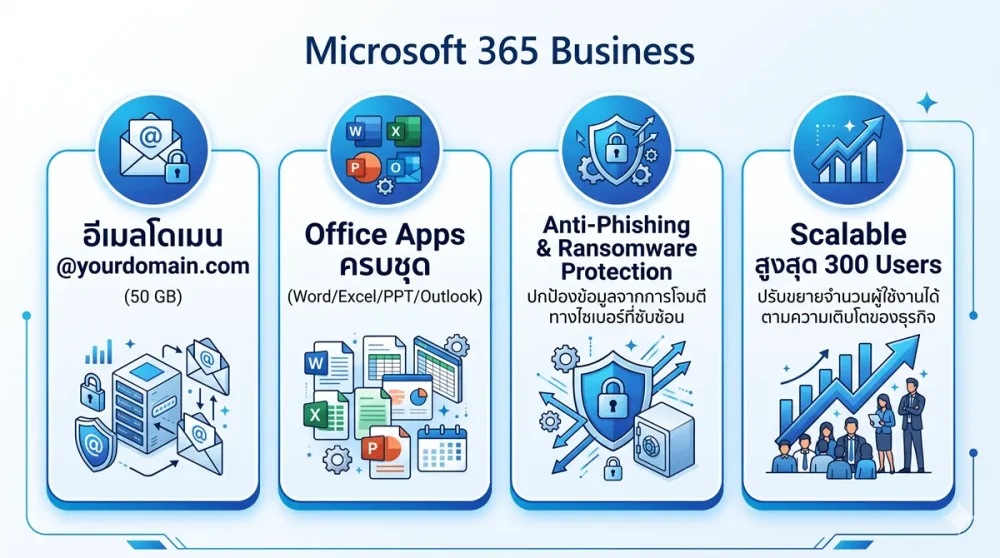
Your domain, your inbox
Send from @yourcompany.com with a 50 GB mailbox backed by Exchange Online
Office apps you already know
Word, Excel, PowerPoint, Outlook — on web, mobile, and desktop (Standard & Premium)
Security that scales with you
Anti-phishing and malware protection built in – full endpoint security available in Premium
Upgrade without friction
Start where you are. Add users or move up a plan whenever your business demands it
Microsoft 365 Business – with or without Teams
All plans billed annually, per user. THB pricing varies with exchange rate — contact us for a current, accurate quote.
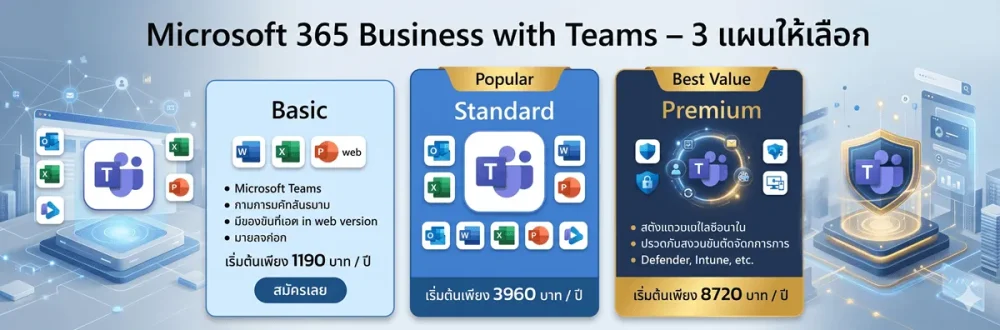
Business Basic
1190
Business email, Teams, and cloud storage to get started — no desktop apps needed.
Business Standard
3960
Desktop Office on up to 5 devices, Teams included, plus Copilot Chat and Bookings.
Business Premium
8720
The full security stack with Teams — Defender, Intune, Azure IP, and Conditional Access.
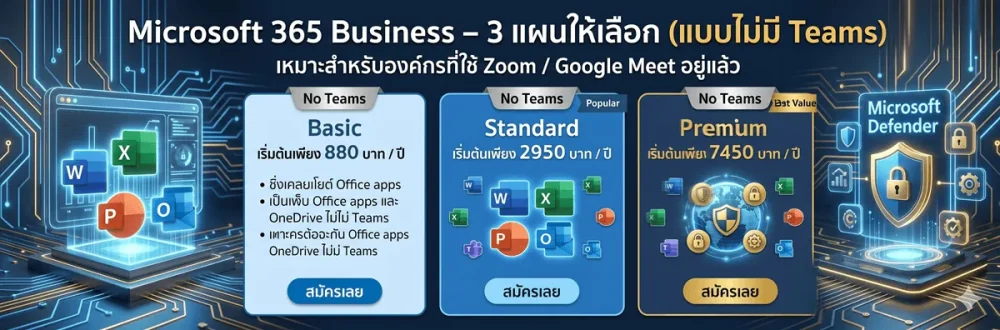
These plans do not include Microsoft Teams — ideal if your organisation already uses another video conferencing tool, or if you want to reduce per-user licensing costs. Teams Essentials can be added separately at any time.
Business Basic
880
Business email, Teams, and cloud storage to get started — no desktop apps needed.
Business Standard
2950
Install on 5 PCs/Macs + 5 tablets + 5 phones
Business Premium
7450
The full security stack with Teams — Defender, Intune, Azure IP, and Conditional Access.
Side-by-side comparison
What’s included in each plan?
| Feature | Basic | Standard | Premium |
|---|---|---|---|
| Custom-domain business email | ✓ | ✓ | ✓ |
| 50 GB mailbox per user | ✓ | ✓ | ✓ |
| Office Web Apps | ✓ | ✓ | ✓ |
| Microsoft Teams | ✓ | ✓ | ✓ |
| 1 TB OneDrive per user | ✓ | ✓ | ✓ |
| URL Check (Anti-Phishing) | ✓ | ✓ | ✓ |
| Desktop Office apps (installable) | — | ✓ | ✓ |
| Microsoft Bookings | — | ✓ | ✓ |
| Meeting recordings & webinars | — | ✓ | ✓ |
| Copilot Chat (AI) | — | ✓ | ✓ |
| Microsoft Defender for Business | — | — | ✓ |
| Microsoft Intune (MDM/MAM) | — | — | ✓ |
| Azure Information Protection | — | — | ✓ |
| Conditional Access + Advanced MFA | — | — | ✓ |
| Windows 11 Pro Upgrade Rights | — | — | ✓ |
Add-on service
Already have email somewhere else?
We’ll move everything over.
No data loss. No mystery downtime. Just a clean transition handled end-to-end.
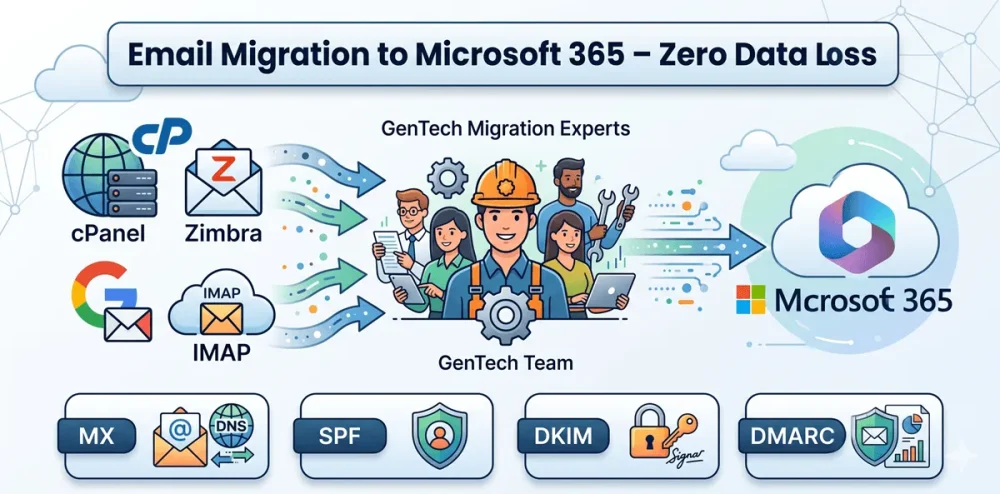
Email Migration Service — IMAP to Microsoft 365
If your team is currently running on cPanel, Zimbra, Google Workspace, or any other IMAP-based mail server, moving to Microsoft 365 doesn’t have to mean starting from zero. Our team handles the entire migration — transferring all mailbox data, configuring your DNS records (MX, SPF, DKIM, DMARC) for proper deliverability, and verifying that every inbox has landed correctly before we hand the keys back to you. We stick around after the switch too, making sure nothing’s been missed.
Frequently Asked Questions